
Homeschool planning and record keeping
Plan the week. Keep the records. Give kids a list they’ll actually use.
Home Year brings lesson planning, daily check-offs, attendance, grades, reading logs, and printable records into one calm place for your whole household.
$9.99/month per household

- One plan for the household
- Parent and kid views
- Printable year-end records
How it works
Three steps your household can keep
-
Plan
Add each child’s work and organize the week.
-
Complete
Kids open their own list and check off finished work.
-
Record
Parents approve work and keep attendance, grades, reading, and printable records together.
For parents
Check the list. Plan the week. Keep the year.
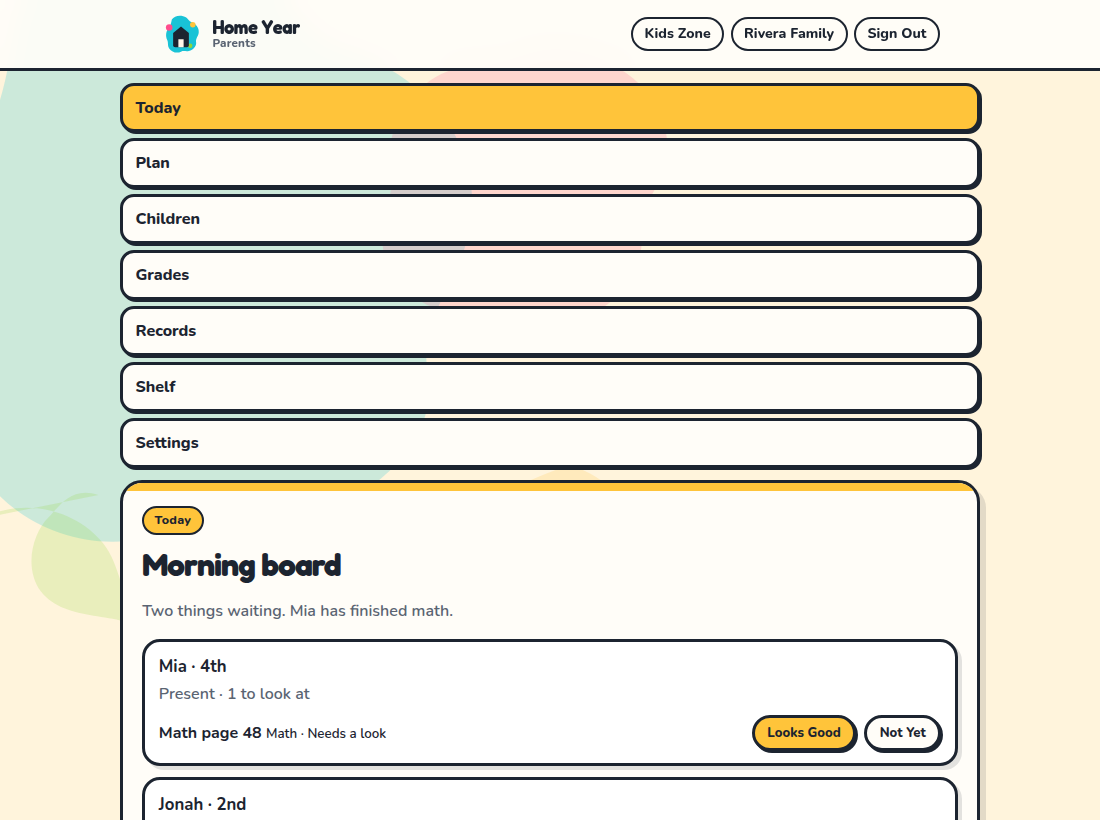
Write the plan, approve what was finished, and watch school days and hours against a planning baseline — not a state form.
- A roster of each child, with what’s waiting
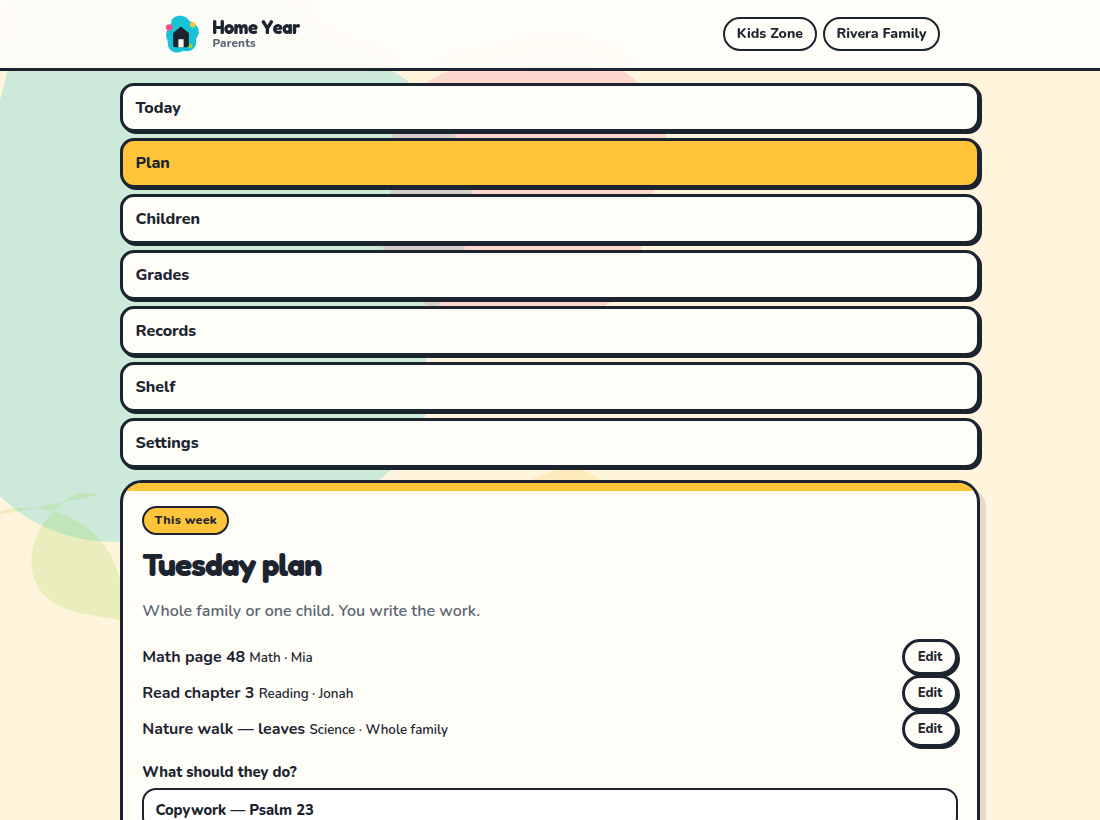
- A week plan, including whole-family work
- Attendance, grades, and reading in one desk
Kids Zone
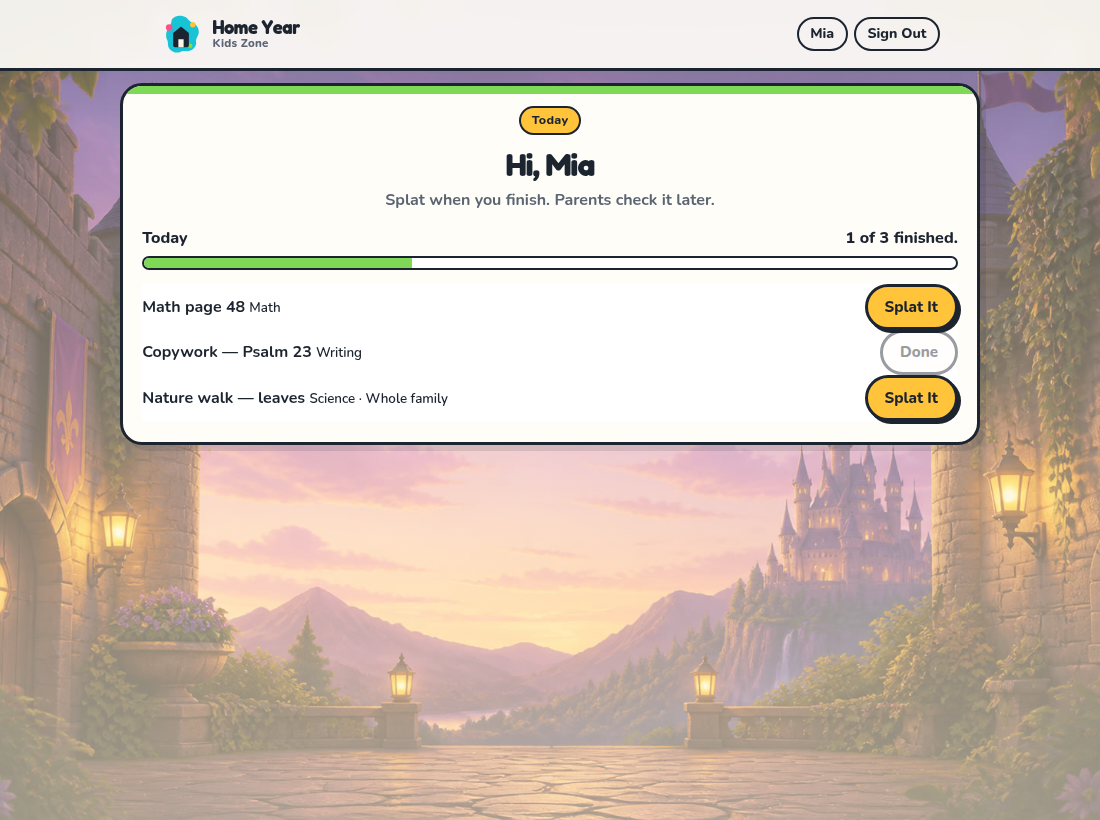
A list of their own — then a short break you control.
Kids sign in with a PIN, see only their work, and check it off when it’s done (we call that a splat). Arcade breaks stay parent-controlled in Settings.
- PIN login — no kid email required
- Clear today list with splat check-offs
- Optional break games you can limit or turn off
Printable records
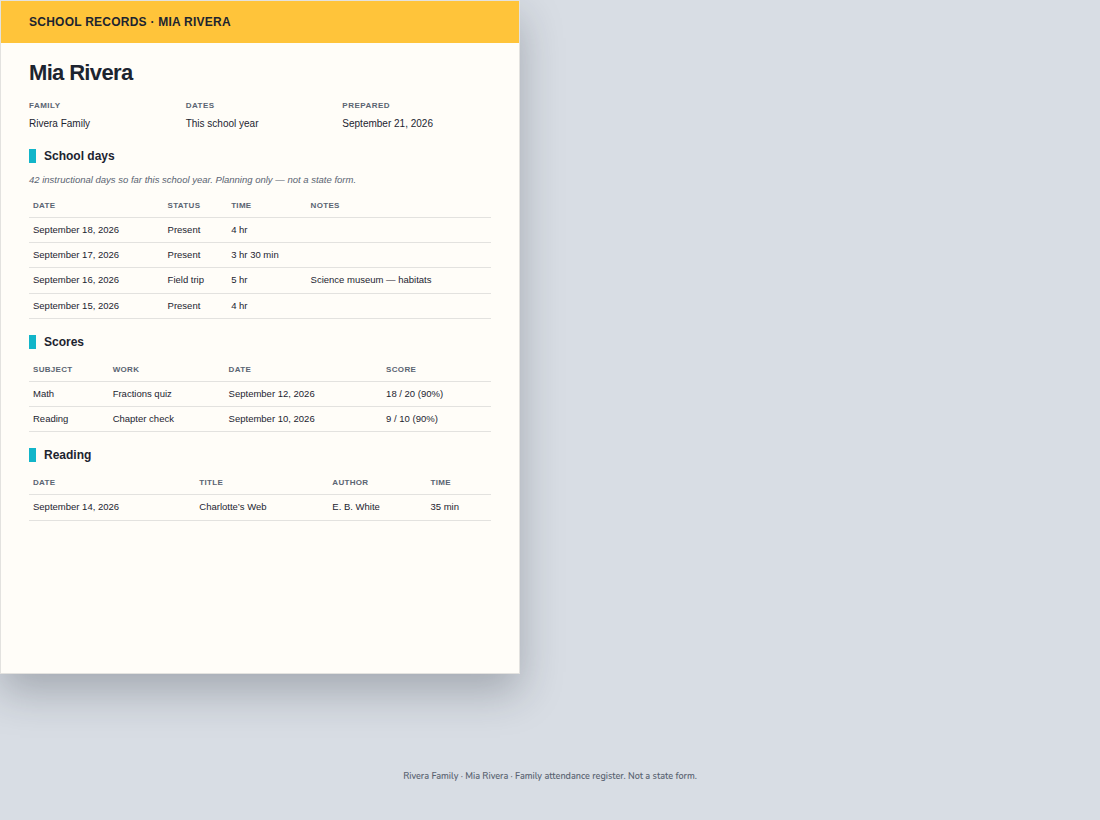
One packet for the year you taught.
Download attendance, grades, reading, and finished work as PDFs or CSVs. These are family records — not affidavits, IHIPs, or legal guarantees.
- School-year or custom date range
- PDF packet plus CSV exports
- Planning baselines labeled as planning aids
Pricing
One household plan
$9.99 per month per household
- Trial length follows your live billing settings when a trial is configured.
- A card is collected at checkout. You are not charged until a configured trial ends; otherwise billing begins when checkout completes.
- Cancel anytime from Parents → Settings → Billing. Stopping the plan ends future charges; the current month is not refunded.
- Canceling the household account deletes family records in Home Year and stops Stripe when connected. Export PDFs/CSVs before you cancel if you need copies.
FAQ
Common questions
How many children can I add?
Home Year is priced per household, not per child. Add as many children as you need from Parents → Children — there is no per-household limit.
What ages is Home Year for?
Parents plan for the whole household. Kids Zone uses a PIN and a today list suited to school-age children who can check off work. Banded break games adapt by age band you set for each child.
Does it meet my state’s homeschool requirements?
No. Home Year is a family tracker and planning aid. State checklists and day/hour meters are baselines, not filings. You remain responsible for what your state, district, or umbrella requires. See Terms.
Can I print or export records?
Yes. Parents can download attendance, grades, completions, and a record packet as PDFs, with CSV beside the same year filter.
Can parents control or disable games?
Yes. Kids Zone Rules in Settings control arcade access, including turning brain-break-after-work off (the default) and limiting when breaks unlock.
Is a card required for the trial?
No card is required to start a free trial. Add a card before the trial ends, or the subscription cancels and the desk locks. If the site owner turns card collection back on, Checkout asks for a card up front and the first charge still waits until the trial ends.
How do I cancel?
Parents → Settings → Billing → Manage billing opens Stripe’s customer portal to stop the plan. Settings also has Cancel account, which deletes the household records here and stops Stripe when connected.
How is family and child data handled?
Household data stays in your family account. Kids use a PIN without their own email. See the Privacy Policy for processors, retention, and how to request deletion.
Ready for a calmer school year desk?
Create a parent login, name your household, and start tracking this week’s work.